Charts Pocket Option — How to Read and Analyze

A complete breakdown of chart types, timeframes, and candlestick patterns on the Pocket Option platform. Learn to read price charts and find entry points for profitable trades.

4 types
of charts
15+
timeframes
10+
drawing tools
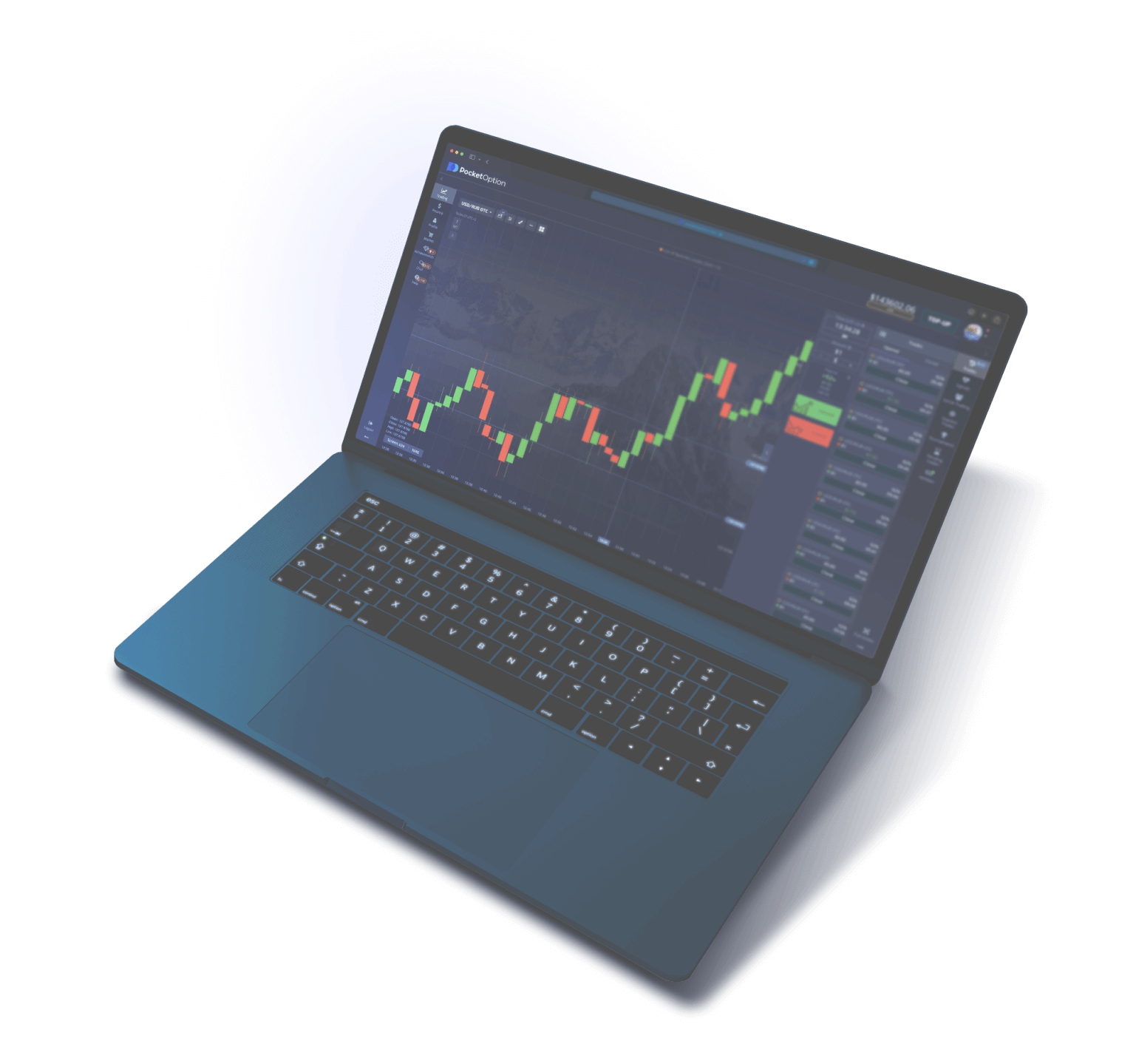
Pocket Option Charts — platform interface with price charts

Chart Types on Pocket Option

Pocket Option offers traders four main chart types for analyzing price movement. Each one visualizes market data differently, providing varying depths of information about an asset's price behavior. The choice of chart type depends on the trading strategy, the trader's experience, and the specific goals of technical analysis. Beginner traders often use the line chart for its visual simplicity, while professionals tend to prefer Japanese candlesticks, which contain the most complete information about each price period. Switching between chart types on the Pocket Option platform takes a single click — the selection button is located in the top toolbar of the trading terminal, directly next to the timeframe selector.

Japanese Candlesticks (Candlestick)

Japanese candlesticks are the most informative and popular chart type among binary options traders on Pocket Option. Each candle displays four key price parameters for the selected time period: the opening price (Open), the closing price (Close), the highest price (High), and the lowest price (Low). The candle body is formed by the distance between the opening and closing prices. If the closing price is higher than the opening price, the candle is colored green (a bullish candle), indicating upward movement. If the closing price is lower than the opening price, the candle is red (a bearish candle), signaling a decline. The vertical lines above and below the candle body are called shadows (or wicks) — they show the maximum and minimum price values for the period. Japanese candlesticks allow traders to visually assess the balance of power between buyers and sellers, identify the dominant trend, and recognize reversal patterns. It is on the candlestick chart that well-known patterns such as the hammer, doji, engulfing, morning star, and many other formations are identified and actively used in trading.

Bars (Bar chart / OHLC)

The bar chart displays the same four price parameters (Open, High, Low, Close) as Japanese candlesticks, but in a different visual format. Each bar is represented by a vertical line reflecting the range between the lowest and highest price for the period. A horizontal tick to the left of the vertical line indicates the opening price, while a tick to the right indicates the closing price. In terms of information content, bars are on par with Japanese candlesticks, though their visual interpretation requires more experience. Traders who come to Pocket Option from the stock or futures markets often prefer this display type, having grown accustomed to it through years of practice. The bar chart takes up slightly less screen space than the candlestick chart, allowing more time periods to fit on screen without horizontal scrolling. This can be useful when analyzing long-term trends on smaller monitors.

Line Chart (Line chart)

The line chart is the simplest type of visualization available on Pocket Option. It is built using a single price value for each period (typically the closing price), connecting the points with a smooth line. Unlike candlesticks and bars, the line chart does not show the opening, high, or low prices for each period, and therefore does not reflect intra-period volatility. The line chart clearly illustrates the overall direction of price movement and makes it easier to identify trends, support levels, and resistance levels. Many traders use it for a quick market overview before switching to the candlestick chart for detailed analysis. It is also convenient when comparing the dynamics of multiple assets in multi-chart mode, as lines from different instruments do not clutter the visual space. For beginner traders, the line chart is useful in that it allows them to focus on the big picture without being distracted by the details of each individual period.

Heiken Ashi

Heiken Ashi (Japanese for "average bar") is a modified candlestick chart in which the Open, High, Low, and Close values are calculated using special formulas based on averaged data from the current and previous periods. The Heiken Ashi closing price is calculated as the arithmetic mean of four values for the current period: (Open + High + Low + Close) / 4. The opening price is calculated as the average of the Open and Close of the previous Heiken Ashi candle. The High and Low are defined as the greatest and smallest values among three figures: the High, Heiken Ashi Open, and Heiken Ashi Close of the current period. Through averaging, Heiken Ashi significantly smooths out market noise — short-term price fluctuations that create a chaotic picture on a standard candlestick chart. The result: trends on the Heiken Ashi chart appear clearer and more sustained, sequences of same-direction candles are longer, and false signals are less frequent. This chart type is especially useful for trend trading on timeframes from 1 minute and above. However, due to averaging, Heiken Ashi lags slightly behind the real price, so it is not recommended for identifying precise entry levels. The optimal strategy is to use Heiken Ashi to determine trend direction and classic Japanese candlesticks to find specific trade entry points.

Area (fill)

An Area chart is a line chart with a color fill applied to the area between the price line and the lower boundary of the chart. Visually it resembles a topographic map, where the "mountains" reflect price highs and the "valleys" reflect lows. In terms of information content, the Area chart is identical to a line chart and is built on the same data — the closing price of each period. The difference is purely aesthetic: the color fill helps visually perceive the volume of price movement and the levels at which the price spent the most time. On Pocket Option, the Area chart is available as an alternative to the line chart and is used by traders who find it easier to read market conditions with a fill. In practical trading it is used for quickly monitoring multiple assets without switching to detailed candlestick analysis.

Comparison Table of Chart Types

Chart Type Data Information Content Suitable For Patterns
Japanese Candlesticks Open, High, Low, Close Maximum All trader levels Full set of candlestick patterns
Bars (OHLC) Open, High, Low, Close Maximum Experienced traders Bar patterns (Inside Bar, Pin Bar)
Line Close Minimal Beginners, overview analysis Trend lines, levels
Heiken Ashi Averaged OHLC Medium (smoothed) Trend strategies Trend identification, candle color
Area Close (with fill) Minimal Monitoring, visual overview Trend lines, levels

Recommendation for traders on Pocket Option: start with Japanese candlesticks. This chart type is the industry standard, and the vast majority of educational materials, strategies, and analytical tools are oriented specifically toward candlestick analysis. Once you master candlesticks, you can switch to other types as needed depending on the specific task.

Japanese Candlesticks — How to Read and Interpret

Japanese candlesticks (candlestick chart) were developed by Japanese rice trader Munehisa Homma in the 18th century and have since become a universal tool for analyzing financial markets. On the Pocket Option platform, the candlestick chart is set by default for most assets, and knowing how to read it is a fundamental skill for any binary options trader. Each Japanese candlestick tells the story of the battle between buyers (bulls) and sellers (bears) over a specific time interval: from 5 seconds to 1 day, depending on the selected timeframe.

Anatomy of a Japanese Candlestick

A candlestick consists of two elements: the body and the shadows (wicks). The body is the rectangular area between the opening price and the closing price of the period. If the closing price is higher than the opening price, it is a bullish (ascending) candle — on Pocket Option it is green by default. If the closing price is lower than the opening price, it is a bearish (descending) candle, shown in red. The size of the candle body directly reflects the strength of the dominant side: a long green body indicates confident buyer control, while a long red body indicates seller pressure. A short body signals indecision: neither buyers nor sellers were able to impose their direction.

The upper shadow (wick) is a vertical line extending above the candle body. It represents the distance between the highest price of the period and the upper boundary of the body (the closing price for a bullish candle or the opening price for a bearish one). A long upper shadow indicates that buyers pushed the price significantly higher during the period, but by the time of closing, sellers pushed it back down. This is a resistance signal — at this price level, sellers are strong enough to stop the advance.

The lower shadow is a similar line extending below the candle body. It shows the distance between the lowest price of the period and the lower boundary of the body. A long lower shadow means that sellers temporarily drove the price significantly lower, but buyers brought it back to the closing level. This is a support signal — at this level, demand is high enough to halt the decline.

Bullish Candle

A bullish candle forms when the closing price exceeds the opening price. On Pocket Option it is displayed in green (the color can be changed in the settings). The longer the body of the bullish candle, the stronger the buying momentum during that period. An ideal bullish candle with a long body and short shadows is called a "marubozu" — it means buyers controlled the market from open to close without significant seller resistance. A series of consecutive bullish candles with increasing bodies is a sign of a strengthening uptrend. In binary options trading on Pocket Option, the appearance of a large bullish candle after a period of consolidation can be a signal to open a Call position.

Bearish Candle

A bearish candle forms when the closing price is lower than the opening price — on Pocket Option it is red by default. A long red body indicates seller dominance. A bearish marubozu — a candle with no shadows or minimal shadows — is the strongest signal of downward pressure. A sequence of bearish candles with expanding bodies indicates an accelerating decline. In the context of binary options, a large bearish candle breaking through an important support level is grounds for considering a Put position. However, a single bearish candle after a long downtrend may turn out to be the final move before a reversal — context is important.

Doji

A Doji is a special type of candle where the opening price and closing price are the same or nearly the same. The body of such a candle appears as a thin horizontal line (sometimes as a dot), while the wicks can vary in length. A Doji signals a balance between buyers and sellers: neither side was able to gain the upper hand. In technical analysis, a Doji is interpreted as a signal of indecision and a potential reversal, especially when it forms after a prolonged trend. There are several varieties of Doji: the classic Doji (cross) with roughly equal upper and lower wicks; the long-legged Doji with very long wicks, reflecting extreme volatility with a net-zero result; the dragonfly Doji with a long lower wick and no upper wick (a bullish signal); and the gravestone Doji with a long upper wick and no lower wick (a bearish signal). On Pocket Option, the appearance of a Doji at a key support or resistance level is a reason to closely watch the next candle for reversal confirmation.

What Candle Wicks Tell Us

Candle wicks carry no less important information than the body. A candle with a long upper wick and a short body at the bottom (regardless of color) forms when buyers attempted to push the price higher but met strong resistance from sellers, who not only halted the advance but also pulled the price back to the opening level or even lower. Such a candle at the top of an uptrend is a warning of a possible reversal to the downside. A candle with a long lower wick and a short body at the top is the mirror situation: sellers tried to push the price down, but buyers seized the initiative. At the base of a downtrend, such a candle signals a potential reversal to the upside. A candle with no wicks (Marubozu) is a rare but powerful signal: one side completely controlled the market from the beginning to the end of the period with no resistance from the opposing side whatsoever. The ratio of body length to wick length is a key visual indicator for quickly assessing the market situation on a Pocket Option chart.

Candlestick Patterns — Reversal and Continuation Signals

Candlestick patterns are combinations of one or more consecutive Japanese candlesticks that form recognizable visual figures with predictive value. On the Pocket Option platform, the ability to identify candlestick patterns is one of the core skills in technical analysis. Patterns fall into two categories: reversal patterns (signaling a change in the current trend) and continuation patterns (confirming that the current direction is maintained). The most important principle when working with candlestick models is context: the same pattern at the top of an uptrend and in the middle of a sideways move carries an entirely different significance.

Hammer

The Hammer is one of the most reliable reversal patterns. It consists of a candle with a small body at the upper end and a long lower shadow (at least twice the length of the body). The upper shadow is absent or extremely small. The Hammer forms at the bottom of a downtrend and signals that sellers attempted to push the price even lower, but buyers aggressively took control and brought the price back to the opening level. The color of the Hammer's body is not critical, although a green (bullish) Hammer is considered a slightly stronger signal. On Pocket Option, when a Hammer appears at a support level, traders consider opening a Call position on the next candle, waiting for confirmation — a bullish close of the following period. The Inverted Hammer follows the same logic but in mirror form: a small body at the bottom and a long upper shadow. It is also a bullish signal when it appears at the bottom of a trend.

Engulfing

The Engulfing pattern consists of two consecutive candles where the body of the second candle completely covers (engulfs) the body of the first. Bullish Engulfing: the first candle is a small bearish (red) one, the second is a large bullish (green) candle whose body entirely encompasses the body of the previous one. It forms at the end of a downtrend and is a strong reversal signal to the upside — buyers did not merely stop the decline but took full control. Bearish Engulfing is the mirror situation: a small bullish candle followed by a large bearish candle that completely covers the body of the previous one. It appears at the top of an uptrend and signals a reversal to the downside. The greater the size difference between the two candle bodies, the stronger the signal. The ideal engulfing occurs when the second candle engulfs not only the body but also the shadows of the first. On Pocket Option, this pattern is particularly effective on timeframes of 1 minute and above, when it coincides with key support or resistance levels.

Morning Star and Evening Star

The Morning Star is a three-candle reversal pattern that forms at the bottom of a downtrend. Structure: the first candle is a large bearish one (confirming the downtrend); the second is a small candle (of any color) with a short body, often gapping down from the first (a signal of seller exhaustion); the third is a large bullish candle closing above the midpoint of the first candle's body (confirming that buyers have taken control). The Morning Star is considered one of the most reliable reversal signals in candlestick analysis. The Evening Star is the mirror pattern at the top of an uptrend: a large bullish candle, a small candle, then a large bearish candle. It signals a reversal to the downside. On Pocket Option charts, these patterns are best identified on timeframes of 5 minutes or higher, since on ultra-short periods (5–15 seconds) three consecutive candles form too quickly to produce a reliable signal.

Pin Bar (Pin Bar)

A pin bar is a reversal candle with a very long wick on one side, a small body, and minimal or no wick on the opposite side. Structurally, a pin bar resembles a hammer or inverted hammer, but in Price Action trading the term "pin bar" is used more broadly to denote a price rejection from a specific level. A bullish pin bar (long lower wick) at the base of a trend signals an upward reversal: the price "dipped" to a support level but was sharply rejected by buyers. A bearish pin bar (long upper wick) at the top of a trend signals a downward reversal: the price tested resistance and was pushed back. The rule for trading a pin bar on Pocket Option: the wick must be at least two-thirds of the total candle length, and the body must be located in the third opposite to the wick. The trade direction is opposite to the long wick: long lower wick — Call, long upper wick — Put.

Key Candlestick Patterns Table

Pattern Type Number of Candles Signal Reliability
Hammer Reversal 1 Call (at trend bottom) High
Hanging Man Reversal 1 Put (at trend top) Medium
Bullish Engulfing Reversal 2 Call High
Bearish Engulfing Reversal 2 Put High
Morning Star Reversal 3 Call Very High
Evening Star Reversal 3 Put Very High
Bullish Pin Bar Reversal 1 Call High
Bearish Pin Bar Reversal 1 Put High
Doji Indecision 1 Wait for confirmation Medium (context-dependent)
Three White Soldiers Continuation / Reversal 3 Call High
Three Black Crows Continuation / Reversal 3 Put High
Bullish Harami Reversal 2 Call Medium
Bearish Harami Reversal 2 Put Medium

When trading on Pocket Option using candlestick patterns, follow three rules: always wait for the candle to close before making a decision (an unfinished candle can drastically change its shape); confirm the pattern by aligning it with a support/resistance level or an indicator signal; consider the timeframe — patterns on higher timeframes (5M, 15M, 1H) are significantly more reliable than on second charts.

Timeframes — from 5 Seconds to 1 Day

A timeframe (time period) determines the interval over which a single candle (or bar) forms on the chart. Pocket Option offers one of the widest timeframe ranges among binary options platforms — from 5 seconds to 1 day. The choice of timeframe critically affects trading results, as it determines the amount of information displayed on screen, the speed at which trading signals appear, and compatibility with specific strategies. Switching timeframes is done with a single click in the chart's top toolbar — the corresponding buttons are located to the right of the chart type selector.

Ultra-Short Timeframes (5 sec — 30 sec)

The 5-second, 10-second, 15-second, and 30-second timeframes are designed for turbo trading on Pocket Option. Each candle forms over the specified interval, meaning that on a 5-second chart, 12 candles appear per minute. These timeframes are characterized by a high level of market noise — random price fluctuations that do not reflect the actual dynamics of supply and demand. Candlestick patterns on ultra-short timeframes are less reliable than on higher ones. They are used by traders who practice scalping strategies with expirations of 30–60 seconds, where entry decisions are made within seconds based on momentum price movement. Ultra-short timeframes require maximum concentration, fast reactions, and are generally not suitable for beginner traders.

Short Timeframes (1 min — 5 min)

The 1-minute (M1), 2-minute (M2), and 5-minute (M5) timeframes are the most popular among binary options traders on Pocket Option. On the one-minute chart, candles form frequently enough to generate numerous trading signals per session, while still containing sufficient data to produce recognizable candlestick patterns. The five-minute chart is considerably smoother: each candle aggregates price data over 300 seconds, reducing the impact of random fluctuations. These timeframes are optimal for trades with expirations ranging from 2 to 15 minutes. Most Pocket Option strategies described in educational materials are specifically designed for the one-minute or five-minute chart.

Medium Timeframes (15 min — 1 hour)

The 15-minute (M15), 30-minute (M30), and 1-hour (H1) timeframes offer the most balanced ratio between the number of trading signals and their quality. Each candle on the hourly chart contains information about all price movements over 60 minutes, making candlestick patterns and indicator signals significantly more reliable. On Pocket Option, medium timeframes are used for trades with expirations ranging from 15 minutes to several hours, as well as for identifying the overall trend direction when working on shorter timeframes (multi-timeframe analysis). Many professional traders structure their trading as follows: analyze the trend on H1, look for an entry zone on M15, and open the trade on M5.

Higher Timeframes (4 hours — 1 day)

Pocket Option provides access to the 4-hour (H4) and 1-day (D1) timeframes. On the daily chart, a single candle displays all trading activity over 24 hours. These timeframes are used primarily for long-term analysis and identifying major trends. Candlestick patterns on D1 carry the highest reliability — a reversal pattern on the daily chart can define the direction of price movement for several days or weeks. For direct binary options trading on Pocket Option, higher timeframes are used less frequently (since the maximum expiration is limited), but they are indispensable as a filter: if the daily trend is pointing upward, trading Call options on shorter timeframes is statistically more successful than trading Put options.

Timeframe and Recommended Strategies Table

Timeframe Label Trade Expiration Recommended Strategy Trader Level
5 seconds S5 15-30 seconds Momentum scalping Experienced
10 seconds S10 30-60 seconds Turbo trend following Experienced
15 seconds S15 30-60 seconds Quick level bounce Intermediate
30 seconds S30 1-2 minutes Pattern scalping Intermediate
1 minute M1 2-5 minutes Candlestick patterns + indicators Beginner / Intermediate
2 minutes M2 5-10 minutes Trend trading Beginner / Intermediate
5 minutes M5 10-30 minutes Classic technical analysis All levels
15 minutes M15 30-60 minutes Levels + patterns Intermediate / Advanced
30 minutes M30 1-2 hours Medium-term trend following Advanced
1 hour H1 2-4 hours Position trading Advanced
4 hours H4 Trend analysis Multi-timeframe filter Advanced
1 day D1 Trend analysis Global direction Advanced

A universal recommendation for Pocket Option traders: do not trade on a timeframe lower than the one on which your strategy produces consistent results. Start with M5, and only move to shorter periods after achieving steady profitability. Remember: the shorter the timeframe, the higher the proportion of market noise and the lower the reliability of trading signals.

Drawing Tools on the Chart

Pocket Option is equipped with a built-in set of charting tools that allow traders to place supporting elements on the price chart for technical analysis. The drawing tools are accessible via the panel to the left of the chart (in the web version) or through the corresponding menu in the mobile app. All elements drawn on the chart are saved for the current asset and timeframe until the trader manually removes them, allowing analytical markups to accumulate over time.

Trend Lines

A trend line is the most fundamental and widely used tool in chart analysis. To draw an ascending trend line, the trader connects two or more successive price lows, forming a support line for the upward move. For a descending trend line, two or more successive highs are connected, creating a resistance line. The construction rule: a trend line is drawn along candle wicks (extreme points), not candle bodies. The more touches a trend line has (points where price approached it and reversed), the more significant it becomes. On Pocket Option, the "Line" tool lets you draw a trend line with two screen taps: press on the first point, drag to the second point, release. The line can be edited, moved, and deleted. A trend line breakout is one of the strongest trading signals in technical analysis.

Horizontal Support and Resistance Levels

Horizontal levels mark price zones where significant buying pressure (support) or selling pressure (resistance) was previously observed. A support level is a horizontal line drawn through a price area from which price has repeatedly bounced upward. A resistance level is a line through an area where price has stalled and reversed downward. On Pocket Option, horizontal levels are drawn using the "Horizontal Line" tool — a single tap on the desired price level. A practical approach: mark levels at zones with the highest concentration of candle wicks — these are areas where the market has repeatedly tested certain prices. Horizontal levels form the foundation for bounce trading (opening a Call from support, a Put from resistance) and breakout trading (opening a trade in the direction of a broken level after confirmation with a retest).

Fibonacci Levels

The "Fibonacci Levels" tool (Fibonacci Retracement) automatically draws horizontal lines at key percentage retracement levels: 23.6%, 38.2%, 50%, 61.8%, and 78.6%. To use it, the trader selects the tool, clicks on the starting point of the impulse move (the low for an upward move, the high for a downward move), and drags to the endpoint (the high for an upward move, the low for a downward move). The platform automatically calculates and displays the levels. Fibonacci levels are used to identify potential zones where a correction may end. The most significant levels are 38.2% and 61.8%: after an impulse move, price most commonly retraces to one of these values before continuing in the primary direction. On Pocket Option, trading with Fibonacci levels involves waiting for price to approach one of the key levels, watching for a confirming candlestick pattern (hammer, engulfing), and opening a trade in the direction of the main trend.

Price Channels

A price channel is formed by two parallel lines between which the price moves. An ascending channel is drawn by connecting two or more lows (lower boundary), after which a parallel line is drawn through the high between them (upper boundary). A descending channel is the mirror image: a line through the highs and a parallel line through the lows. Pocket Option provides the "Parallel Channel" tool, which automatically draws the second line parallel to the first. Trading within the channel: buy (Call) from the lower boundary, sell (Put) from the upper boundary. A channel breakout is a signal of accelerated movement in the direction of the breakout. Channels are especially effective on M5–H1 timeframes, where price corridors form clearly and persist long enough to execute several trades.

Additional Tools

In addition to the tools listed above, Pocket Option offers a number of supplementary drawing tools. Ray lines are drawn from a single point extending to infinity in a given direction — useful for constructing support/resistance lines that project into the future. The rectangle tool is used to highlight price zones (consolidation zones, supply and demand zones). Text notes allow you to leave comments directly on the chart — for example, to mark the reason for entering a trade or record observations for later analysis. All drawing tools support customization of color, line thickness, and transparency. This makes it possible to create multi-layered markup where trend lines, levels, and channels are visually distinct and do not blend into one another.

Multi-Charts — Multiple Assets on One Screen

The Multi-Chart feature on Pocket Option allows you to display up to four charts of different assets simultaneously on a single screen. It is a powerful analytical tool that significantly improves trader efficiency by eliminating the need to constantly switch between assets. Multi-Chart is activated via the menu in the top panel of the platform — the button with the four-square icon. Available layouts include: two charts side by side horizontally, two charts stacked vertically, and four charts in a 2x2 grid.

The practical applications of Multi-Chart on Pocket Option are varied. The first scenario is simultaneous monitoring of multiple assets to find trading opportunities. A trader places the most liquid currency pairs (EUR/USD, GBP/USD, USD/JPY, AUD/USD) on four charts and watches for pattern formations across all four instruments, opening a trade on whichever asset produces a signal first. This significantly increases the number of trading opportunities per session compared to watching a single asset.

The second scenario is multi-timeframe analysis of a single asset. A trader places the same asset (e.g., EUR/USD) on four charts with different timeframes: H1 to identify the overall trend, M15 to find the entry zone, M5 for precise entry timing, and M1 to monitor current price dynamics. This approach provides a comprehensive view of the market situation — the trader sees both the forest and the trees at the same time.

The third scenario is correlation analysis. Many assets are interconnected: EUR/USD and GBP/USD often move in sync (positive correlation), while EUR/USD and USD/CHF tend to move in opposite directions (negative correlation). Placing correlated pairs on adjacent charts makes it easy to spot divergences — situations where one asset begins to move while its correlated counterpart has not yet reacted. This creates trading opportunities: if EUR/USD starts rising while GBP/USD is still flat, there is a high probability that GBP/USD will follow the euro — making it a good moment to open a Call.

Each chart in Multi-Chart mode is fully functional: it supports switching timeframes and display types, applying drawing tools, and adding indicators. Charts can be scaled, scrolled through history, and configured independently of one another. One limitation: Multi-Chart is only available in the web version of Pocket Option and requires a sufficiently large screen (a monitor with a resolution of at least 1920x1080 pixels is recommended). The Multi-Chart feature is not available in the mobile app due to limited screen size.

Customizing Chart Appearance

Pocket Option offers extensive options for personalizing price charts. Properly configuring the appearance is not merely a matter of aesthetics — it directly affects how quickly you process information and, as a result, the quality of your trading decisions. All settings are accessible via the gear icon (Settings) in the upper right corner of the chart or through the context menu opened by right-clicking on the chart.

Candle Color Scheme

By default on Pocket Option, bullish candles are displayed in green and bearish candles in red. However, traders can change these colors to any alternative through the chart settings. Common alternatives include: white (bullish) and black (bearish) candles — the classic Japanese scheme; blue and orange — a popular option for reducing eye strain during extended trading sessions. The body color, border (outline) color, and wick color can each be configured separately for both candle types. Recommendation: choose contrasting colors that are easy to distinguish in any lighting condition and do not cause visual discomfort during prolonged observation.

Chart Background and Grid

The chart background can be set anywhere from pure white to black. Most traders prefer a dark background (dark blue, dark gray, or black), as it reduces eye strain during long sessions at the monitor. The Grid consists of horizontal and vertical lines that divide the chart into equal rectangular sections. The grid can be toggled on or off, and its color and transparency can be adjusted. An enabled grid helps visually estimate distances on the chart and correlate price levels with time periods. A disabled grid creates a cleaner workspace, which is convenient when using a large number of drawing tools.

Zoom and Scroll

The chart zoom level determines how many candles fit on the screen at once. Zooming in shows fewer candles, but each one appears larger — useful for detailed analysis of individual patterns. Zooming out lets you cover a longer time period and see the bigger picture — trends, levels, and consolidation zones. On Pocket Option, zooming is done with the mouse wheel or a pinch gesture on a touchscreen. Horizontal scrolling lets you browse historical price data — you can scroll the chart back days, weeks, and months to analyze historical levels and patterns. Practical tip: before opening a trade, zoom out to see the overall picture and where the current price stands relative to key levels, then zoom in to pinpoint the exact entry moment.

Saving Templates

Pocket Option allows you to save individual chart configurations as Templates. A template includes the selected chart type, timeframe, the set of added indicators with their settings, applied drawing tools, and the color scheme. To create a template: configure the chart for a specific strategy, then save the configuration via the templates menu. When switching between assets or strategies, simply load the desired template with a single click. This saves a significant amount of time — traders no longer need to re-add indicators and reconfigure parameters each time. Recommendation: create separate templates for each of your strategies — for example, "Scalping M1" (with RSI and Bollinger Bands), "Trend M5" (with EMA 20 and EMA 50), "Levels M15" (with Fibonacci and horizontal levels).

Additionally, on Pocket Option you can configure the display of the current price (ticker or label on the scale), cursor style (crosshair, dot, standard arrow), time display format (server or local), and enable automatic chart scrolling when new candles appear. All settings are tied to the trader's account and automatically sync across devices — once you configure the chart on your computer, you will get an identical display when logging in from another device.

Common Mistakes in Chart Analysis

Chart analysis is a powerful tool in any Pocket Option trader's arsenal, but misusing it leads to systematic losses. Below are the most common mistakes traders make when working with price charts, along with ways to avoid them. Each of these mistakes costs traders real money, which is why understanding and preventing them is an essential part of trading preparation.

Mistake The Problem Consequences How to Avoid
Entering before candle close Opening a trade on an unfinished candle that may still change shape False signals, losing trades Always wait for the candle to fully form before making a decision
Ignoring the higher timeframe Trading on M1 without accounting for the trend direction on M15 or H1 Trading against the trend, low win rate Use multi-timeframe analysis: identify direction on the higher TF, enter on the lower one
Overloading the chart with indicators Applying 5–10 indicators that produce conflicting signals Analysis paralysis, missing good entry points Use a maximum of 2–3 complementary indicators
Pattern fitting Searching for "confirming" patterns to justify a decision already made Biased analysis, losses Look for patterns objectively, before forming an opinion on direction
Trading on too short a timeframe Using a 5-second chart without sufficient experience High market noise, random results Start with M5 and gradually reduce the period as you gain experience
Ignoring pattern context Trading a hammer at the top of a trend or an engulfing pattern in the middle of a channel Misinterpretation of the signal Consider the pattern's position relative to the trend and key levels
No levels marked on the chart Trading without marking support/resistance levels Entries at random points, no understanding of price structure Always mark key levels before the start of a trading session
Incorrect trendline construction Drawing a line through candle bodies instead of wicks, or through two arbitrary points False breakout or bounce signals Build trendlines with at least three touches, using candle wicks

One mistake worth highlighting separately — even experienced traders make it: over-reliance on a single signal. The appearance of a candlestick pattern or a bounce from a level is a necessary but not sufficient condition for opening a trade on Pocket Option. A reliable trading signal forms when at least two or three factors align: a candlestick pattern at a key level, confirmed by an indicator signal in the direction of the higher timeframe trend. The more factors that coincide, the higher the probability of a profitable trade. Professional traders refer to such coincidences as "confluence" and only open positions when at least two or three mutually confirming factors are present.

Keeping a trading journal with chart screenshots is an effective way to identify systematic mistakes. After each trading session on Pocket Option, save screenshots of your opened trades with the entry reasons marked on the chart. A weekly review of these records helps identify recurring errors and work on eliminating them in a targeted way. Pocket Option allows you to view your trade history in your personal account, but annotated chart screenshots provide significantly more information for self-analysis.

FAQ About Pocket Option Charts

What type of chart is best for beginner traders?

For beginners, the optimal choice is Japanese candlesticks. Despite their apparent complexity, candlestick charts are the most informative and are the industry standard. The vast majority of educational materials, strategies, and analytical tools are oriented toward candlestick analysis. If you start with a line chart, you will eventually switch to candlesticks anyway — it is better to master them from the start. On Pocket Option, the candlestick chart is set as the default.

How does Heiken Ashi differ from regular Japanese candlesticks?

Heiken Ashi uses averaged Open, High, Low, and Close values calculated using special formulas that incorporate data from the previous period. As a result, the chart appears significantly smoother: trends are displayed as long series of same-direction candles, and market noise is filtered out. The downside is that Heiken Ashi slightly lags behind the real price and does not show exact price values. Use it to identify the trend, and regular candlesticks to find entry points.

What timeframe should I choose for trading binary options?

For most traders, the five-minute timeframe (M5) with an expiration of 10–30 minutes is optimal. It provides a balance between the number of trading signals and their reliability. Beginners are not recommended to trade on timeframes below M1. The rule for choosing expiration: it should be 3–5 times longer than the chart timeframe (M5 = expiration of 15–25 minutes). Pocket Option offers more than 15 timeframes — from 5 seconds to 1 day.

Can I open multiple charts at the same time?

Yes, Pocket Option supports multi-chart mode — simultaneous display of up to four charts on one screen. Configurations 1x2, 2x1, and 2x2 are available. Each chart is fully independent: you can select different assets, timeframes, display types, and add indicators. The feature is only available in the web version of the platform and requires a monitor with a resolution of at least 1920x1080 for comfortable use.

What drawing tools are available on the Pocket Option chart?

Pocket Option provides a full set of drawing tools: trend lines, horizontal support and resistance levels, Fibonacci Retracement levels, parallel channels, ray lines, rectangles for highlighting zones, and text notes. All tools are customizable by color, thickness, and line style. Applied elements are saved for each asset and timeframe.

How do I save chart settings?

Use the Templates feature on Pocket Option. Configure the chart for a specific strategy — display type, timeframe, indicators, color scheme — and save the configuration as a template. When switching between strategies in the future, simply load the corresponding template with one click. Settings are tied to your account and sync across devices.

What candlestick pattern is most reliable for trading on Pocket Option?

The most reliable patterns are the morning/evening star and bullish/bearish engulfing. These models have a statistically high success rate, especially on M5 timeframes and above, when they coincide with key support or resistance levels. However, no pattern works with 100% accuracy — always use additional confirmation (an indicator, a level, the direction of the higher timeframe trend) and manage your risks.

Do Pocket Option charts show real market quotes?

On business days (Monday–Friday) during trading sessions, Pocket Option displays real market quotes from liquidity providers. On weekends and holidays, OTC assets (Over The Counter) are available, with quotes generated by the platform's algorithms based on historical data. OTC charts are labeled accordingly so traders understand which type of asset they are working with.

Start analyzing charts on Pocket Option

4 chart types, 15+ timeframes, built-in drawing tools and indicators. Open a free demo account with a $50,000 balance and practice risk-free.

🎁 Promo code ZQJ396 — +60% bonus to first deposit Get Bonus