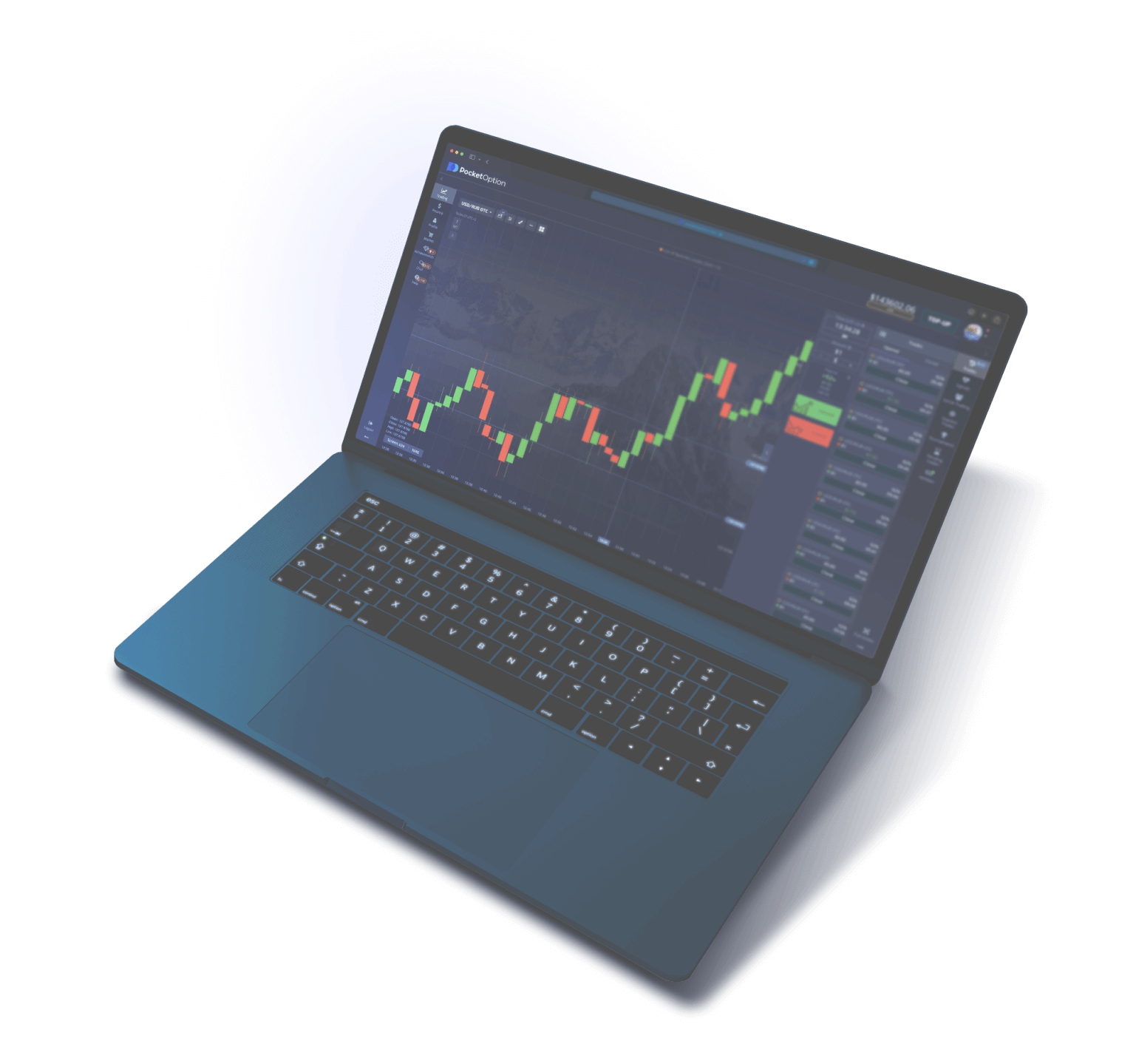
Demo Account Pocket Option — $50 000 to Trade Risk-Free

Free demo account with full platform functionality. No deposit, no verification, no time limits.

$50 000
virtual balance
100+
trading assets
Free
forever
Demo Account Pocket Option

What Is a Pocket Option Demo Account

Demo Account Pocket Option is a practice trading account with a virtual balance of $50,000, provided free of charge to every registered user of the platform. Virtual funds are not real money: they cannot be withdrawn or converted into actual currency. The primary purpose of the demo account is training, familiarization with the platform interface, and testing trading strategies under conditions that closely replicate a real market environment. Pocket Option (Gembell Limited, license MISA T2023322) has been operating since 2017 and serves more than 10 million traders from 95+ countries worldwide.

Pocket Option built its demo mode as a fully functional replica of the live trading terminal. Charts, quotes, indicators, order types, expirations, and the list of assets on the demo account are identical to those on a real account. The only difference is that virtual funds are used instead of real money, which completely eliminates any financial loss. Traders can place an unlimited number of trades, experiment with different approaches and strategies, and take on zero risk to their own capital. The platform uses the same quotes from liquidity providers as it does for real accounts, so demo trading results are statistically comparable to live trading.

The platform imposes no time limits on demo account usage. Unlike many competitors where the trial period is capped at 14 or 30 days, the Pocket Option demo account is valid indefinitely. You can return to it a month, six months, or a year after registration — the balance will be available and the functionality unchanged. If the virtual funds run out (after a series of losing trades), the balance can be instantly restored to $50,000 with a single button press — there is no limit on the number of top-ups. For comparison: IQ Option caps the demo balance at $10,000 with a top-up limit, while Quotex provides only $10,000 in virtual funds.

Who Needs a Demo Account and Why

A Demo Account is in demand among three main categories of users. Each pursues different goals, but all gain concrete practical value from virtual trading — value that cannot be obtained any other way without financial risk.

Beginner traders. For those encountering binary options for the first time, a demo account is an essential step before entering the live market. Here you can learn the mechanics of placing trades: how to select an asset from the list, set an expiration (the trade closing time), determine the direction of price movement (up — Call, down — Put), and define the stake amount. On the demo account, beginners get comfortable with the trading terminal interface, learn to read Japanese candlesticks and bars, and apply basic technical analysis indicators — moving averages, RSI, and Bollinger Bands. Platform statistics show that traders who spent a minimum of 2–3 weeks actively practicing on demo before switching to a real account achieve 35–40% higher returns in their first month of live trading compared to those who skipped the preparation stage.

Experienced traders. Professionals use the demo account to test new strategies, validate trading hypotheses, and fine-tune indicator parameters. Before deploying a new strategy on a live account, it must be verified with virtual funds — confirming that it consistently generates profit over a minimum of 50–100 trades across varying market conditions (trend, flat, high volatility). The Demo Account allows such tests to be conducted without financial losses and with real market data, making the test results as reliable and applicable to live trading as possible.

Traders returning after a break. If a trader hasn't traded for several months, a demo account helps restore skills and adapt to any platform updates. During the absence, interface elements may have changed, new indicators or assets may have been added, and trading conditions may have been updated — demo mode allows you to explore all changes without risk. In addition, chart-reading skills and trading decision-making weaken during a prolonged break, and demo trading helps restore them to their previous level before returning to live trading.

Why the $50,000 virtual balance

The $50,000 amount was not chosen arbitrarily. This capital is sufficient for a full simulation of real trading with various position sizes and risk levels. A trader can place trades from $1 to $5,000, test different per-trade risk levels (from a conservative 1% to an aggressive 10% of capital), and practice money management. With a $50,000 balance, thousands of trades can be executed even when using relatively large positions, providing a statistically significant sample for an objective assessment of any strategy's performance.

The virtual balance is displayed in the top panel of the trading terminal next to the toggle between the demo account and the live account. Switching is done with a single click — no need to log out, reload the page, or be redirected to a different URL. All open positions on the demo account are preserved when switching to the live account and back, and chart settings (indicators, timeframe, drawing tools) remain unchanged when switching account types.

Tip: Treat the demo account just as seriously as a live one. Trade amounts comparable to your intended real deposit. If you plan to start with $50, set your trade size to $1–5 on demo — this will build correct trading habits, realistic return expectations, and the right approach to risk management.

How to Open a Pocket Option Demo Account — Three Methods

A Demo Account on Pocket Option can be activated in three different ways depending on whether you have an existing account on the platform and what level of access you need. Each method takes between 15 seconds and 2 minutes and requires no deposit, no documents, and no identity verification.

Method 1: Quick Access Without Registration

1

Go to the Pocket Option Website

Open the official platform website or a current mirror in any browser — Chrome, Firefox, Safari, Edge. On the homepage, find the "Quick Start" or "Demo" button — it is located next to the main registration form in the center of the screen. Click it for instant access to the trading terminal.

2

The Platform Will Create a Temporary Account

The system will automatically generate a guest account with a demo balance of $50,000 and redirect you to the trading terminal. No data entry is required — no email, no password, no phone number. You are immediately placed in a fully functional trading environment and can execute trades with virtual funds from the very first second.

3

Save Your Progress (Optional)

The guest account is stored in browser cookies. If you clear your cookies, switch to another device, or use incognito mode, the data will be permanently lost. To save your trade history and balance, complete full registration through the "Settings" menu — the system will link the guest demo account to your email and password.

Method 2: Register a New Account

1

Fill Out the Registration Form

On the Pocket Option website, click the "Register" button in the top right corner. Enter a valid email address and create a password (minimum 6 characters, Latin letters and numbers). Alternatively, sign in with a Google or Facebook account for instant one-click authorization. Accept the user agreement and click "Register." The entire process takes no more than 2 minutes.

2

Demo Account Is Created Automatically

Immediately after registration, the platform automatically activates a demo account with a balance of $50,000 in virtual funds. No additional actions, requests, or confirmations are required. You are taken to the trading terminal, where demo mode is already selected by default. The balance is displayed in the top panel next to the account type indicator.

3

Start Trading

Select a trading asset from the list on the left side of the screen (currency pairs, cryptocurrencies, stocks, commodities, indices), set the expiration time (from 5 seconds to 4 hours) and trade size ($1–$5,000), determine the direction of price movement (the "Up" button for Call or "Down" for Put), and click the corresponding button. The trade result will be determined once the set expiration time has elapsed.

Method 3: Switching from a Real Account

If you already have a Pocket Option account with a real deposit, you can switch to a demo account at any time directly from the trading terminal. The top panel contains a "Real / Demo" toggle. Click it and select "Demo". The balance will instantly switch to virtual funds — $50,000 or whatever amount remained on the demo after previous trading activity. Switching does not affect open positions on the real account — they will continue running in the background and close upon expiration.

The reverse switch — from demo to real — works the same way. With one click you return to your real balance. Chart settings (selected indicators, timeframe, zoom level, graphical drawings) are preserved when switching — there is no need to reconfigure your workspace. This feature is especially convenient for experienced traders who test new approaches on demo and immediately apply proven strategies on the real account.

Access method Time required Registration required Data saving Best suited for
Quick access without registration 15 seconds No Browser cookies only First-time platform exploration
New account registration 1-2 minutes Yes (email or Google/FB) Full server-side saving Serious trading preparation
Switch from real account 2 seconds Account already exists Full server-side saving Active traders

Warning: A guest account without registration has a significant drawback — if you clear browser cookies, use incognito mode, or switch to another device, all data is permanently deleted. Trade history, chart settings, added indicators, and your current balance will be lost forever. If you plan to use the demo account for serious preparation and keeping a trading journal, complete a full registration — it is free and takes no more than 2 minutes.

Demo Account Features — Full Platform Functionality

The Pocket Option Demo Account provides access to virtually all features available on a real trading account. The platform intentionally does not limit the demo mode's capabilities, so traders can fully evaluate the trading conditions, test all tools, and make an informed decision before depositing real funds. Below is a detailed comparison table of the demo account and real trading account functionality — it will help you understand which features are available on each account type.

Feature / Parameter Demo Account Real Account
Starting Balance $50,000 (virtual funds) From $5 (real money)
Balance Top-Up Unlimited, instant, free Bank cards, cryptocurrencies, e-wallets
Withdrawal Not available (virtual funds) Available after KYC verification
Trading Assets 100+ (currencies, crypto, stocks, commodities, indices) 100+ (identical asset set)
Quotes and Charts Real market data in real time Real market data in real time
Technical Analysis Indicators All available without restrictions (50+) All available without restrictions (50+)
Charting Tools Lines, levels, Fibonacci, shapes — full set Lines, levels, Fibonacci, shapes — full set
Trade Types Classic, express, OTC Classic, express, OTC
Expiration Range From 5 seconds to 4 hours From 5 seconds to 4 hours
Trade Size $1 — $5,000 $1 — $5,000
Maximum Payout Up to 92% (up to 218% on special expirations) Up to 92% (up to 218% on special expirations)
Social Trading Trader leaderboard view only Full trade copying functionality
Bonuses and Promo Codes Not applicable on demo Welcome bonus up to 100% on first deposit
Tournaments Free demo tournaments available All tournaments, including paid ones with prize pools
Account Validity Unlimited, no restrictions Unlimited, no restrictions

Real Quotes in Demo Mode

A critically important feature of the Pocket Option demo account is the use of real market quotes without any distortions or delays. Demo charts fully replicate live market price movements in real time. This means that demo trade results will be statistically comparable to real trading under equal conditions. A trader who trades profitably on demo for a month will, with high probability, show comparable results on a real account while maintaining discipline, strategy, and position sizing.

Quotes come from the same liquidity providers that serve the platform's real trading accounts. The latency between quotes on the demo account and the real account is less than 50 milliseconds — practically imperceptible and has no impact on trade outcomes even when using short expirations of 5–30 seconds. OTC assets (over-the-counter instruments), available on weekends and holidays when major exchanges are closed, are also fully functional on the demo account with identical quotes and payout percentages.

Replenishing the Virtual Balance

If the demo account balance has dropped to an amount inconvenient for trading following a series of losing trades, it can be restored to $50,000 with a single button press in the terminal interface. The replenishment function is located in the top panel of the terminal next to the current balance display. Upon clicking, the virtual balance instantly resets to the initial value of $50,000. The number of replenishments is unlimited — the balance can be restored as many times as needed, at any time of day or night.

Replenishing the demo balance completely resets the previous balance and sets it to exactly $50,000. If the account had $48,700 remaining, after replenishment it will show $50,000 — not $98,700. If the account held $67,300 (after a series of profitable trades), replenishment will set the balance to $50,000 — meaning any "extra" profit will be lost. This mechanic simulates a restart from a fixed starting capital and is useful for objective strategy testing: each new cycle begins with the same starting amount.

Instant Account Switching

Pocket Option allows instant switching between the demo account and the real trading account without needing to log out, reload the page, or be redirected to a different address. The toggle is located at the top of the trading terminal and works with a single click. When switching, the current chart settings (indicators, timeframe, zoom level, drawing tools) are fully preserved — only the balance and account type change. Open positions on each account operate completely independently of one another and continue to execute according to their respective expirations.

Trading Strategies to Test on a Demo Account

A Demo Account is an ideal environment for testing trading strategies before committing real capital. Each strategy should be evaluated over a minimum of 50–100 trades before drawing any conclusions about its effectiveness. Below are five strategies of varying complexity that can be tested with virtual funds at zero financial risk. Each strategy includes recommendations for indicator settings, suitable expiration times, and the type of market conditions it performs best in.

1. RSI Strategy (Relative Strength Index)

RSI is an oscillator that measures the speed and magnitude of price movements. Its value ranges from 0 to 100. The overbought zone (above 70) signals a potential downward price reversal, while the oversold zone (below 30) signals a potential reversal to the upside. The strategy is straightforward and well-suited for beginner traders: wait for RSI to enter one of the extreme zones, confirm the signal with a reversal candlestick pattern (hammer, engulfing, doji), and open a trade in the direction of the anticipated reversal. Recommended expiration: 3–5 minutes for the 1-minute timeframe (M1), 15–30 minutes for the 5-minute timeframe (M5). The standard RSI period is 14, but for short-term trading it can be reduced to 7–9.

2. Bollinger Bands Strategy

Bollinger Bands consist of three lines: a moving average (SMA with a period of 20) and two bands placed two standard deviations above and below it. Statistically, price touching the upper band tends to reverse downward, while price near the lower band tends to reverse upward. On a demo account, test this strategy on assets exhibiting sideways movement (flat), where bounces off the bands are most predictable and frequent. Avoid trending markets — during a strong, sustained trend, price tends to "hug" one of the bands and repeatedly break through it, making the strategy unprofitable. Recommended expiration: 5–15 minutes. Additional filter: a band squeeze indicates an upcoming strong impulse move — it is best to avoid trading during this phase.

3. Moving Average Crossover Strategy

Use two exponential moving averages with different periods — a fast one (EMA 9) and a slow one (EMA 21). When the fast EMA crosses the slow EMA from below — it is a buy signal (Call), indicating the start of an uptrend. When the crossover occurs from above — it is a sell signal (Put), indicating the start of a downtrend. The strategy works best in trending markets and on larger timeframes (M5, M15), where false crossovers are significantly less frequent than on 1-minute charts. On a demo account, execute a minimum of 50 trades using this strategy to objectively assess the win rate. Recommended expiration: 15–30 minutes for the M5 timeframe, 30–60 minutes for M15.

4. Candlestick Pattern Strategy (Price Action)

Candlestick patterns (Price Action) are one of the oldest and most reliable methods of market analysis, requiring no additional indicators. On a demo account, practice identifying key reversal patterns: the hammer and hanging man form at potential trend reversal points; bullish and bearish engulfing patterns signal a sharp shift in market sentiment; the doji indicates indecision and equilibrium between buyers and sellers. Each pattern has a strict context for application — the hammer is only effective after a downward move, and an engulfing pattern requires confirmation on the following candle. Recommended expiration: equal to the duration of one to two candles on the chosen timeframe.

5. Combined Strategy (RSI + Bollinger Bands)

Combining two indicators significantly reduces the number of false signals and improves overall entry accuracy. The condition for opening a Call trade: the price touches the lower Bollinger Band while the RSI is simultaneously in the oversold zone (below 30) — a double confirmation of an upward reversal. The condition for a Put: the price is at the upper Bollinger Band with RSI above 70 — a double confirmation of a downward reversal. Trades are opened only when both conditions are met, which substantially increases the probability of a profitable outcome. The strategy is suitable for intermediate and advanced skill levels. Recommended expiration: 5–15 minutes on the M1–M5 timeframe.

Strategy Indicators Trader Level Expiration Market Type Min. Trades for Testing
RSI RSI (14) Beginner 3–15 min Any 50
Bollinger Bollinger Bands (20, 2) Beginner 5–15 min Flat 50
Moving Averages EMA 9, EMA 21 Intermediate 15–30 min Trend 50
Candlestick Patterns Clean chart (no indicators) Intermediate 1–2 candles Any 100
RSI + Bollinger RSI (14) + BB (20, 2) Advanced 5–15 min Flat / Correction 80

Tip: Keep a trading journal even on a demo account. Record every trade: date and time, asset, direction (Call/Put), expiration, position size, reason for entry, and the final result (profit/loss). After 50–100 trades, analyze the journal — identify patterns in losing trades, determine the time of day with the best results, and adjust your strategy accordingly. This skill is critical for consistent profitability on a live account.

Trading Psychology on a Demo Account

The main drawback of demo trading is the absence of emotional pressure. With virtual money, a trader does not experience the fear of losing capital, greed at the sight of profit, excitement during a winning streak, or despair after several consecutive losses. All of these emotions inevitably arise on a live account and significantly affect the quality of trading decisions. This creates a distorted perception of one's own skills: a trader who is consistently profitable on a demo account may completely lose discipline on a live account when confronted with real emotions.

To minimize this psychological gap, it is recommended to trade on a demo account as if the money were real. Set a daily loss limit for yourself (for example, $500 virtual — equivalent to 1% of the demo balance), a limit on the number of trades per day (no more than 15–20), a minimum pause between trades (2–3 minutes for analysis), and a mandatory break after three consecutive losing trades (at least 15 minutes). These self-imposed restrictions build trading discipline, which will become your most valuable asset on a live account.

Indicators and Analysis Tools on a Demo Account

Pocket Option provides more than 50 technical analysis indicators and a full set of charting tools on the demo account. They all function identically to the live account — no restrictions, simplifications, or reduced functionality are applied in demo mode. Traders can customize the parameters of each indicator (periods, levels, colors), combine multiple indicators on a single chart, and save workspace templates for quick switching between configurations.

Trend Indicators

Trend indicators help identify the direction and strength of the current market trend and filter out the noise of short-term price fluctuations. All major trend tools are available on the demo account: Simple Moving Average (SMA), Exponential Moving Average (EMA), Weighted Moving Average (WMA), Bollinger Bands, Parabolic SAR, Ichimoku Cloud, Moving Average Envelopes, and the Supertrend line. Each indicator can be configured by calculation period, price type (Close, Open, High, Low, Median), and display color on the chart. Moving averages form the foundation of most trend strategies; Bollinger Bands are indispensable for measuring volatility; Ichimoku delivers a comprehensive picture of trend, support, and resistance all within a single indicator.

Oscillators

Oscillators measure the speed and momentum of price movement and identify overbought and oversold zones for an asset. The platform's demo account arsenal includes: RSI (Relative Strength Index) — the most popular oscillator for identifying reversal points; Stochastic Oscillator — a dual-line oscillator for short-term signals; MACD (Moving Average Convergence Divergence) — a combination of trend and momentum; CCI (Commodity Channel Index) — for identifying cyclical movements; Williams %R — a fast oscillator analogous to the Stochastic; Bill Williams' Awesome Oscillator; Momentum — the pure rate of price change; and ADX (Average Directional Index) — for assessing trend strength without determining its direction. Oscillators are displayed in a separate window below the main price chart and can be used independently or in combination with trend indicators.

Volume Indicators

Volume indicators analyze market participant activity and confirm or refute price movements: Volume (trading volume histogram); On Balance Volume (OBV) — a cumulative volume measure reflecting the direction of money flow; Accumulation/Distribution — the distribution of volume between buyers and sellers; Money Flow Index (MFI) — an oscillator based on price and volume; and Chaikin Oscillator — the difference between the accumulation and distribution lines. Volume indicators serve as a confirming filter: a price rise on high volume is more reliable and sustained than a rise on low volume, which often turns out to be a false move.

Charting Markup Tools

In addition to automated indicators, Pocket Option provides a full set of tools for manual chart markup. Available tools include: horizontal lines (support and resistance levels), vertical lines (time period dividers), trend lines (ascending and descending), parallel channels, Fibonacci retracement levels (23.6%, 38.2%, 50%, 61.8%, 78.6%), Fibonacci extensions, rectangles for highlighting price zones, ellipses, pointer arrows, and text annotations. Markup is saved separately for each asset and timeframe — when switching between assets, all drawn objects are preserved and automatically loaded when returning to a previously analyzed instrument.

  • Timeframes: 14 options — from 5 seconds to 1 day (5s, 10s, 15s, 30s, 1m, 2m, 5m, 10m, 15m, 30m, 1h, 4h, 1d)
  • Chart types: 5 options — Japanese candlesticks, OHLC bars, line chart, Heikin-Ashi (smoothed candles), Area (filled area)
  • Multi-charts: simultaneous display of up to 4 charts of different assets on a single screen for comparative analysis
  • Zoom: zooming in and out of the chart using the mouse wheel or pinch-to-zoom gestures on a touchscreen
  • Price alerts: configurable notifications when the price reaches a specified level — audio signal and pop-up window
  • Workspace templates: saving and instant loading of custom chart configurations with preset indicators

Tip: In the early stages, avoid overloading your chart with too many indicators — this creates information noise and makes decision-making harder. The optimal combination for beginners is one trend indicator (EMA 21 or Bollinger Bands) and one oscillator (RSI 14 or Stochastic). Add additional indicators gradually, as you gain experience and understanding of how they interact.

Advantages and Limitations of the Pocket Option Demo Account

The Demo Account is a powerful tool for preparing for real trading, yet it comes with certain limitations. Understanding both the strengths and weaknesses of virtual trading helps you use demo mode as effectively as possible and avoid common mistakes when transitioning to real capital. Below is a detailed table of advantages and limitations, compiled from the experience of active traders on the platform.

Demo Account Advantages Demo Account Limitations
Zero financial risk — it is impossible to lose real money regardless of how many losing trades you make The absence of emotional pressure distorts trading results and a trader's self-assessment
Generous $50,000 balance with unlimited free top-ups available at any time Virtual profits cannot be withdrawn or converted into real money
Real market quotes with no delays or distortions from liquidity providers Social Trading (copying trades from successful traders) is available for leaderboard viewing only
Full access to all 50+ indicators and charting tools without any restrictions Bonuses, promo codes, and cashback do not apply to and are not credited to the demo account
Unlimited access — no time restrictions on usage, the demo never expires The large virtual balance of $50,000 can create unrealistic expectations and a habit of placing oversized trades
An ideal environment for objectively testing strategies on real market data No motivation to strictly maintain discipline — virtual losses cause no discomfort
Instant one-click switching between the demo and real account Paid tournaments with cash prizes are available on the real account only
Full access from any device — PC, smartphone, tablet, via browser or app Order execution speed may differ slightly from the real account during peak hours
No deposit, document verification, or personal data required No ability to test the process of depositing and withdrawing real funds

How to Get the Most Out of Your Demo Account

To make demo trading as practically valuable as possible and prepare you for the real market, follow a few proven principles. Trade position sizes proportional to your planned real deposit — if you intend to deposit $100, trade with $1–$5 per trade on the demo, not $500–$1,000. Set strict daily limits and adhere to them rigorously: a maximum of 15–20 trades per day, with a stop-loss of no more than 3% of your current balance on any single trade. Keep a detailed trading journal, recording every trade with a full rationale for the entry. Conduct daily and weekly performance reviews. Only move to a real account after 2–4 weeks of consistently profitable demo trading with a win rate of at least 55–58%.

Avoid the common mistake of staying on a demo account indefinitely without making progress. Some traders spend months trading with virtual money, postponing the transition to a real account due to fear of losses or perfectionism. A Demo Account is a preparatory tool with a specific purpose, not a final destination. Once your strategy shows consistent positive performance over 50-100 trades, it is time to move to live trading with a minimum deposit of $5-50.

Switching from a Demo to a Real Account

Moving from a demo account to live trading is a responsible and psychologically significant step that requires an honest assessment of your own readiness. Switching too early is one of the leading causes of losses among beginner traders. Entering the real market without sufficient practice and a well-defined strategy will almost certainly lead to losses and frustration. But excessive caution is also counterproductive — spending too long on a demo account does not develop emotional management skills. Below are objective criteria you can use to determine whether you are ready for real trades.

When It's Time to Switch to a Real Account

There is no universal timeframe for staying on a demo — one trader may need just two weeks of active trading, while another may require two months of daily practice. The key indicator of readiness is not time, but consistency of results and deliberate decision-making. If your chosen strategy has been profitable over a minimum of 50 consecutive trades with a win rate of at least 55–60%, and you can clearly explain the reason for each entry — you are ready to make the switch. Keep in mind that on a real account, performance may temporarily drop by 5–10% due to the emotional factor of risking real money.

Readiness Checklist for Live Trading

  • Completed a minimum of 50 trades on a demo account using one specific strategy (not randomly)
  • Win rate has consistently stayed above 55% throughout the entire testing period
  • The overall demo account balance has grown (not declined) during the strategy testing period
  • You keep a trading journal and analyze every trade with a rationale for entry and key takeaways
  • You have set and strictly follow a daily loss limit (no more than 5% of your balance per day)
  • You have defined a fixed maximum size for a single trade (no more than 3–5% of your deposit)
  • You have learned at least 2–3 technical analysis indicators and understand the logic behind their signals
  • You can identify a trend (uptrend/downtrend) and a flat (sideways movement) on a chart
  • You know the trading session schedule for your chosen assets and trade during optimal hours
  • You are psychologically prepared to accept losses — you understand that losing trades are an inevitable part of trading
  • You have determined an amount for your first deposit whose loss would not affect your financial stability

Recommendations for Your First Deposit

The Minimum Deposit on Pocket Option is $5 — enough for a first symbolic introduction to live trading. However, for comfortable and meaningful trading with proper risk management, it is recommended to start with $50–100. With a $50 deposit and a trade size of $1 (2% of capital), you can sustain 50 consecutive losing trades before your balance reaches zero — which is extremely unlikely when using a sound, tested strategy. This buffer reduces emotional pressure and allows you to trade calmly and rationally.

It is strongly advised against depositing an amount whose loss would be critical to your budget or could affect your day-to-day expenses. Your first deposit is the cost of learning in a live market, and there is a real possibility of partial or total loss during the adaptation period. Treat it as an investment in developing your trading skills, not as a guaranteed source of quick income. As your experience, consistency, and confidence grow, gradually increase your trading capital.

First Deposit Size Recommended Trade Safety Margin Best Suited For
$5 - $10 $1 5-10 consecutive losing trades Minimal test of the real market and your own emotions
$50 - $100 $1 - $3 17-100 consecutive losing trades Beginner traders after demo preparation
$200 - $500 $2 - $10 20-250 consecutive losing trades Traders with proven demo account experience
$1 000+ $5 - $50 20-200 consecutive losing trades Experienced traders with a consistent strategy

Common Mistakes When Transitioning from Demo to a Real Account

The most common mistakes to consciously avoid when transitioning to live trading. Each of them can lead to rapid loss of your deposit even with a profitable demo strategy:

Risk Warning: Trading binary options involves a high level of risk. Demo account results do not guarantee similar results on a real account. You may lose some or all of your invested funds. Do not invest money you cannot afford to lose. Before starting live trading, make sure you fully understand all associated financial risks.

Demo Account on Mobile Devices

The Pocket Option Demo Account works fully on all mobile devices — smartphones and tablets running Android and iOS. The mobile version of the trading terminal retains the full functionality of the desktop version: charts with indicators, all trade types, switching between the demo account and real account, and topping up the virtual balance. The demo balance and trade history sync across devices via the cloud — operations performed on a computer are instantly reflected in the mobile terminal and vice versa.

Android — Native APK Application

For Android devices, Pocket Option offers a native APK application. The app is not available on Google Play due to the store's policy on financial trading instruments, but it can be downloaded free from the platform's official website. After installation, log in to your account (or create a new one directly in the app) — the demo account will be automatically available with a $50,000 balance. The Mobile App supports push notifications for closed trade results, background operation, and automatic real-time quote updates.

The interface is fully optimized for touch controls: selecting a trading asset via a convenient dropdown list with search, zooming the chart with pinch-to-zoom gestures, quickly switching between timeframes with a horizontal swipe, and opening a trade with a single tap on the Call or Put button. Indicators are added through an intuitive menu at the bottom of the screen. The trade size is set using a convenient slider or entered manually via the device's numeric keypad.

iOS — PWA Version for iPhone and iPad

On Apple devices, the demo account works through a PWA (Progressive Web App) — a technology that turns a website into a fully functional application without needing to download it from the App Store. Open the Pocket Option website in Safari, tap the "Share" button (the square with an upward arrow in the bottom panel), and select "Add to Home Screen." The app icon will appear on your home screen and function like a fully native application — with a full screen and no browser address bar, giving you quick access to the trading terminal with a single tap.

The PWA version has the same functionality as the browser version: all 50+ indicators, charting markup tools, all trade types with any expiration times, and instant switching between accounts. A notable iPad advantage — the larger screen area allows comfortable use of multi-chart mode (displaying several charts of different assets simultaneously), which is difficult on a smartphone due to the limited display size.

Trading via Mobile Browser

If you prefer not to install a separate app or create a PWA on your home screen, the demo account can be used directly through a mobile browser on any device. Open the Pocket Option website in Chrome, Safari, Firefox, or any other mobile browser. The responsive interface will automatically adjust to the screen size and orientation. All demo account features are available without any restrictions. The only drawback of the browser option is the absence of push notifications for closed trade results and the need to keep the tab open.

Platform Demo Access Method Demo Account Functionality Key Features
Android (smartphone/tablet) APK app from the official website Full, no restrictions Push notifications, background mode, auto-updates
iOS (iPhone) PWA via Safari Full, no restrictions Full-screen mode, no App Store required
iOS (iPad) PWA via Safari Full, no restrictions Multi-chart layouts, expanded workspace
Any device Mobile browser (web version) Full, no restrictions Universal access, no installation required

Tip: For serious and in-depth chart analysis, indicator configuration, and strategy backtesting, it is recommended to use the desktop version on a computer — a large screen lets you view significantly more data at once and mark levels with greater precision. Use the mobile version for quick trades based on an already-tested strategy, monitoring open positions, and trading on the go or away from home.

Pocket Option Demo Account: Frequently Asked Questions

Answers to the most common questions traders have about Pocket Option's demo mode. If your question isn't listed below, contact the 24/7 support team via the online chat on the platform — the average operator response time is 2-5 minutes.

Is the Pocket Option Demo Account really free?

Yes, the demo account is completely free with no hidden conditions whatsoever. Activating it requires no deposit, no identity verification, no bank card details, and no payments of any kind. A virtual balance of $50,000 is credited automatically upon account registration. Topping up the balance back to $50,000 is also free and available an unlimited number of times. The platform charges no commissions or subscription fees for using demo mode, regardless of how long you use it or how many virtual trades you make.

Can I withdraw profits from the demo account?

No, virtual funds from the demo account cannot be withdrawn, transferred to a real account, or converted into real money by any means. The demo balance is purely educational — it exists to help you practice trading skills and test strategies without financial risk. To earn real profits from trading, you need to switch to a real trading account, fund it with real money (minimum deposit is just $5), and trade with your own capital.

Is there a time limit on using the demo account?

No, the Pocket Option demo account is valid indefinitely with no time restrictions. Unlike many competing platforms (IQ Option — 30 days of inactivity, Binomo — limited balance), Pocket Option sets no time limits, does not deactivate the demo account after prolonged inactivity, and does not cap the number of virtual trades. You can use the demo account for months or even years. Your balance, full trade history, and chart settings are preserved throughout the entire lifetime of the account.

What should I do if I run out of virtual funds on the demo?

If your demo account balance drops to zero or falls below the minimum amount required to open a trade ($1), click the top-up button in the top panel of the trading terminal. The balance will instantly be restored to $50,000 in virtual funds. There is no limit on how many times you can do this — top up as often as you need. Please note: when you top up, your previous balance is completely reset. If your account had $3,200, after topping up it will show exactly $50,000, not $53,200.

Do the quotes on the demo account match real market quotes?

Yes, the demo account uses the exact same market quotes as the real trading account. Price data is sourced from identical liquidity providers in real time. The delay between demo and live account quotes is less than 50 milliseconds — a difference that is virtually imperceptible and has no impact on trade outcomes. Charts, candlesticks, and bars on the demo are identical to those on the real account. This means that trading results on the demo are statistically comparable to real trading, provided you use the same strategy, the same position sizes, and maintain discipline.

Is registration required to use a demo account?

For a quick initial look at the platform, registration is not required — Pocket Option provides guest access to the demo terminal without entering any personal data. However, a guest account is stored only in browser cookies, does not sync across devices, and will be lost if browser data is cleared. For full and long-term use of the demo account (complete trade history, chart settings, access from multiple devices), free registration is recommended — simply provide an email and password, and the entire process takes no more than 2 minutes.

Can a demo account and a real account be used at the same time?

Only one account type can be active in a single trading terminal window — either demo or real. However, you can open two separate browser windows (or two tabs), log into the terminal in both, and select the demo account in one and the real account in the other. This way, you can simultaneously test a strategy on demo while trading on the real account. Switching within a single window is instant via the toggle in the top panel. Open positions on each account type operate completely independently and do not affect each other.

Is the Demo Account available on mobile?

Yes, the demo account works fully on all mobile devices without exception: Android smartphones and tablets (via the APK app from the official website or a mobile browser), iPhone and iPad (via the PWA version or Safari). The mobile terminal retains the complete functionality of demo mode: all charts with indicators, all trade types, all expirations. Account balance and trade history sync across devices via cloud server — trades made on a computer are instantly reflected on mobile and vice versa.

Try a Pocket Option demo account right now

Virtual balance of $50,000, real quotes, full set of tools. No deposit, no verification, no time limits.

🎁 Promo code ZQJ396 — +60% bonus to first deposit Get Bonus